How to implement a website with automated WhatsApp support
Learn how to create a website with automated WhatsApp support, choose the right automation, and enhance the customer journey.

Listen to the article
A website with automated WhatsApp support connects information, conversation, and forwarding in a single journey. Understand how this structure works and what your business needs to prepare.
Quick response
A website with automated WhatsApp support showcases your company, clarifies doubts, and guides the visitor to an organized conversation on WhatsApp. Automation can utilize quick responses, menus, catalogs, predefined flows, or artificial intelligence connected to a knowledge base. For small and medium businesses, the best approach is to start with frequently asked questions, provide information on hours, services, location, and contact methods, and define when the conversation should be forwarded to a person. This way, the website stops being just a showcase and starts to support customer service before, during, and after the first contact.
Summary
- Use the website to organize information and WhatsApp to deepen the conversation.
- Start with frequently asked questions, simple menus, and a clear path to human assistance.
- Choose between ready-made responses, chatbot, automation platform, or artificial intelligence based on the volume and complexity of the service.
- Review the knowledge base, privacy, and referrals before promoting the channel.

What is a website with automated WhatsApp support?
It is a company page that combines presentation, useful content, and an automated conversation channel on WhatsApp. Visitors find basic information on the site and can initiate an interaction that answers questions, collects data, or directs requests to the appropriate department.
A website with automated WhatsApp support is not just a green button installed on a page. It acts as a bridge between the visitor's intention and the next step in their journey: consulting a service, asking about availability, requesting a quote, booking an appointment, or speaking with the team. The page organizes the information, while WhatsApp continues the conversation in a familiar environment for the Brazilian audience.
In practice, this structure can include a company description, catalog, menu, photos, location, hours of operation, social media links, and delivery options. After reading the content, the person chooses an action and initiates contact. A well-thought-out opening message can already indicate the topic of the conversation, reducing the effort to explain everything from the beginning.
There are different levels of automation. The simplest uses a predefined message to identify the source of the contact. An intermediate layer offers quick responses, menus, and paths for common topics. In a more structured operation, the service interprets questions, consults a knowledge base, and directs specific situations to a person.
WhatsApp Business, the free WhatsApp app, was created for small businesses and offers tools to automate, organize, and respond quickly to received messages. This point is important for businesses that still operate with a lean team: it is possible to start with organization and consistency before adopting a more sophisticated operation.
For companies that need to handle a large volume, the WhatsApp Business Platform allows for scalable support through programmatic access. The platform also supports automated conversational flows to help reduce the impact of many support requests. The choice depends on the number of conversations, the need for integration, and the level of control that the operation requires.
NaInter.net sees the website as a central point of digital presence: a space to promote services and information while also offering an AI virtual assistant that captures chat and sends it directly to the company's WhatsApp. The recommendation is to treat the page content and the service script as parts of the same project, without promising the visitor something the team cannot fulfill.

What are the benefits of having automated support?
The most relevant benefits are reducing time spent on repetitive questions, maintaining consistent information, providing support outside of business hours, and better guiding the visitor towards a commercial or support action.
The first gain is availability. A visitor can access the website when the team is busy, on the go, or outside of business hours. An automated flow does not replace the person responsible for complex decisions, but it can accommodate the request, present public information, and record the context so that the service can continue with less friction.
Speed also improves the perception of the company. When someone asks about price, service area, response time, location, or operation, waiting for a manual response to each question can interrupt the buying intention. A well-configured automation provides initial guidance and shows which path to follow, without leaving the visitor facing a blank message box.
Another benefit is standardization. The business no longer relies on each attendant's memory to explain services, scheduling conditions, or contact methods. Reviewed texts can be used at different times, with clear language aligned with the company's positioning. This reduces contradictory responses and facilitates updates when a service changes.
The website also acts as a filter for intention. A person who arrives at the conversation after consulting a menu, a service page, or a frequently asked questions section tends to initiate contact with more context. The service can then focus energy on understanding the need, recommending the next step, and resolving exceptions, rather than repeating information that could already be available.
For sales, the value lies in continuity. A menu can separate new orders, questions about a service, support, and partnerships. Instead of directing everyone to the same inbox, automation collects initial information and organizes the conversation. In a small business, this simple triage can already relieve the routine and prevent opportunities from getting lost among messages.
There are also management gains. By observing which questions appear most frequently, the business identifies flaws in the website, catalog, or communication of the offer. If many people ask about the location, perhaps that information needs to be highlighted. If the recurring question is about availability, it may be necessary to explain better how scheduling works.
The results depend on the quality of the flow, the updating of information, and the ability to take over the conversation when the robot does not resolve the issue. Automating does not mean hiding human support. It means reserving the team's attention for situations where judgment, empathy, or negotiation truly make a difference.
A case reported by SleekFlow about Colégio Cognos noted a one hundred and fifty percent increase in confirmed visits and a fifty percent reduction in the support queue after using WhatsApp with automation. This result belongs to the presented case and should not be treated as a promise for any company, but it illustrates how a flow can affect confirmation and organization of demand.
Privacy needs to be incorporated into the design from the beginning. The form or conversation should only ask for what is necessary to assist, inform the purpose of use, and provide a route for requests related to data. In the case of NaInter.net, the operation declares compliance with the General Data Protection Law and informs that data is not sold to third parties.
Have a professional website working for you 24/7
Let the Artificial Intelligence of NaInter.net create the perfect showcase for your business to attract customers every day.
How does automation work on WhatsApp?
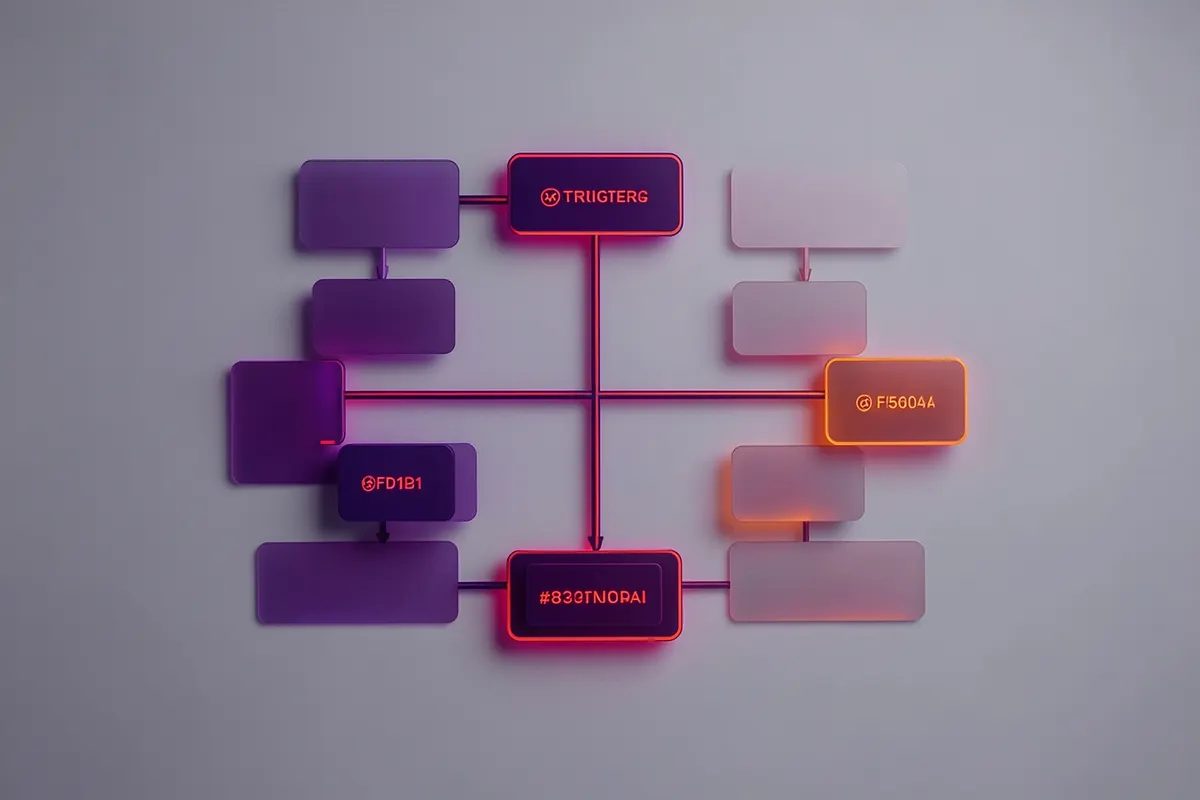
Automation works when the website initiates or guides the conversation, WhatsApp receives the request, and a flow determines what to respond, ask, record, or forward. The logic can be based on menus and rules or supported by artificial intelligence.
The process begins on the website. A contact button, a call to action, or an embedded attendant invites the visitor to choose a topic. The invitation text should be specific. "Contact us" is generic; "Ask questions about the menu" or "Request information about the service" better prepares the conversation and helps to craft the first message.
Next comes the identification of the objective. The flow can present options such as learning about services, requesting a quote, checking hours, tracking a request, or speaking with the team. Instead of requiring the person to write a perfect text, the menu offers a starting point. Still, there should be an alternative to explain the need in their own words.
In the next step, the system consults the available content. In simple automations, this means sending pre-written responses. In more advanced solutions, it means retrieving information from a knowledge base, such as frequently asked questions, commercial data, catalogs, files, and pages from the website itself. Meta reports that AI agents on WhatsApp can operate autonomously using this type of material provided by the company.
The quality of the response depends on the quality of the database. The business needs to write correct names of services, current hours, serviced regions, accepted payment methods, and support guidelines. It should also record what the assistant cannot assert. If the information is not available, the appropriate behavior is to acknowledge the limitation and forward the conversation, not to fill the gap with an assumption.
A good flow has transfer points. The conversation should pass to a person when it involves sensitive complaints, negotiations, policy exceptions, order changes, personal data, or a question that the system did not understand. The forwarding needs to explain to the customer what will happen next and, when possible, preserve the summary of what has already been communicated.
Behind the scenes, the company also needs to define responsibilities. Who updates the catalog? Who reviews the responses? Who receives the forwarded contacts? How does the team identify urgent conversations? Without these decisions, automation can respond quickly but leave the problem stalled at the next step.
Measurement should track useful actions, not just the number of messages. Observe which paths are most chosen, at what point people abandon the conversation, how many contacts reach human support, and which questions remain unanswered. These observations guide changes in the website content and the WhatsApp script.
For a small business, the beginning can be deliberately lean. Organize recurring questions, create objective responses, highlight the main catalog or service, and reserve a route for human support. When the volume justifies it, add integrations, segmentation, and artificial intelligence. The growth of automation should keep pace with the ability to maintain accurate content.
It is also important to communicate the nature of the support. The visitor needs to know when they are talking to an automated system and how to request human help. This transparency fosters a more honest relationship and avoids the expectation that an automatic response can resolve any situation.
Agro Amazônia appears in a success case of WhatsApp with the Meta Business Agent to automate customer support at any time. The example shows an application of continuous availability, but a company intending to follow a similar path should adapt the flow to its own sector, team, and the information it can keep updated.
What tools to use for automation?
Use the tool that matches the stage of the business: native resources to start, chatbots to conduct predictable dialogues, and automation platforms when there is a higher volume, integration, or need for centralized management.
Chatbots for WhatsApp
are programs that conduct conversations based on rules, menus, keywords, or artificial intelligence models. They are useful when the business receives repeated questions and needs to provide a clear path without relying on a person being available at all times.
A rule-based chatbot works well for objective demands. It can present the catalog, explain how to request a quote, inform the hours, collect name and subject, or forward the contact to an area. The advantage is predictability: the company knows which responses will be delivered. The limitation arises when the customer writes something outside the expected options.
A chatbot with artificial intelligence interprets questions with more flexibility and can consult a knowledge base. Meta describes the possibility of AI agents on WhatsApp working autonomously from FAQs, commercial information, catalogs, files, and websites provided by the company itself. To function safely, this content must be specific, reviewed, and separated from instructions that the agent is not authorized to execute.
The choice between rules and AI does not need to be definitive. A hybrid flow is often more practical: menus for high-volume topics and assisted responses for open questions, always with a transfer to a person when there is uncertainty. The goal is not to make the robot seem human, but to resolve the request clearly.
When evaluating a chatbot, check how it imports content, records history, allows editing responses, controls permissions, and forwards conversations. Also, see if the customer can exit the flow and talk to someone. An automation that traps the person in irrelevant options generates frustration, even when its initial responses are correct.
For small businesses, the main criterion should be the ease of maintaining the system. A solution full of features but difficult to update tends to lose quality when the menu, hours, or business process changes. Start with a small base and observe real behavior before expanding the number of paths.
Automation platforms
combine flow construction, contact organization, conversation distribution, and integration with other processes. They make more sense when WhatsApp already occupies a central position in support and when manually responding to everything starts to consume sales or support time.
The first difference compared to an isolated chatbot is the operational vision. The team may need to separate new contacts, current customers, support requests, and return opportunities. A platform can help structure these steps and route each conversation according to the subject, without forcing all agents to work in the same queue.
Another point is integration. The website can capture the source of the conversation, the form can send initial data, and the flow can record the stage of the contact. For the business, this avoids repeatedly asking for information that has already been provided. For the customer, the experience becomes more seamless between the page, WhatsApp, and team support.
Medium and large companies dealing with high volume can use the WhatsApp Business Platform to manage many conversations and deepen relationships with customers. WhatsApp Business itself presents the platform as an option aimed at scalable support. In a smaller operation, the decision should consider the actual volume, the complexity of the process, and the ability to track costs and maintenance, without adopting a larger structure solely based on expectations.
Before hiring or implementing, outline the journey on paper. List the source of the contact, initial questions, allowed responses, necessary data, routing points, and the final destination of each conversation. Then, test the path as if you were a new customer, including sending incomplete messages, changing the subject, and requesting human assistance.
Security deserves special attention. Control who can edit the database, avoid storing data beyond what is necessary, and define how access or deletion requests will be handled. NaInter.net informs that your registration data and visitor data are used for purposes related to the operation of microsites, email redirection, payment processing, and operation of virtual attendants, in addition to stating that it does not sell data to third parties. Each business should communicate its own practices in an accessible and coherent manner.
In practice, the best platform is the one that the team can operate daily. Analytics, segmentation, and artificial intelligence features are useful when they address a concrete need. If the current problem is simply responding with hours and location, a short and well-written flow can deliver more value than a complex architecture.
NaInter.net recommends starting with the content that the customer is actually looking for and connecting that content to a support experience that has continuity. The website can host menus, services, hours, location, photos, and links, while the virtual assistant helps respond instantly and routes the conversation to the company's WhatsApp. The next step is to choose a small set of priority questions, publish the contact path, and review actual conversations to refine the flow.
- start with low volume and predictable questions → Use quick replies and menus on WhatsApp Business, with a direct path to a person.
- interpret open questions and consult business information → Consider a chatbot connected to a revised knowledge base.
- organize teams, queues, and support stages → Evaluate an automation platform with conversation distribution and history.
- transform the website into a more useful entry point for WhatsApp → Present services, catalog, hours, and location before the contact button and fill the first message with the visitor's subject.
- Small business with few repeated questions: Start with clear content on the website, quick responses, simple menus, and human routing.
- Company with growing support and many recurring topics: Adopt a chatbot with a knowledge base, regular testing, and transfer rules.
- Operation with multiple people, queues, and integrations: Choose an automation platform capable of distributing conversations and tracking the journey.
Continue reading

How to set up a virtual assistant on your website

How to prioritize your online presence with an effective website