How to have a professional website without spending much
Learn how to create a professional website without spending much, choose the right builder, and avoid unnecessary costs for your business.
Listen to the article
Creating a professional website without spending much is possible when you separate the essentials from the superfluous. See how to choose a platform, control costs, and convey trust from the very first visit.
Quick response
To create a professional website without spending much, choose a platform with a visual editor, integrated hosting, a responsive template, and basic contact features. Start with a few well-organized pages, use your own texts and images, register an appropriate domain, and include clear customer service options. The cost can be lower than a project developed from scratch because you save on programming and initial maintenance. Still, evaluate what is included in the plan, content ownership, the ability to connect your domain, and security features. For local businesses, a streamlined, updated, and easily found website is often more useful than a large, abandoned structure.
Summary
- Start with the website's objective, not the number of available features.
- Use a visual builder to reduce reliance on programming and control your investment.
- Prioritize domain, hosting, clear content, mobile version, and contact channels.
- Compare the limitations of free plans before deciding to migrate to a paid option.
- Grow in stages, adding features only when they address a real need.
What is a professional website?
A a professional website is an official point of contact between the company and the people looking for it. It's not just about having an address on the internet. The page needs to explain what the business offers, who it serves, how it can be contacted, and what the next step is for the visitor. When these answers are clearly presented, the site helps turn a search into a conversation, quote, visit, or purchase.
Appearance matters, but it doesn't solve everything. A website can have a simple look and still seem trustworthy if it loads well, works on mobile, presents updated information, and uses predictable navigation. Conversely, a design full of effects but with outdated phone numbers, heavy images, or confusing texts conveys carelessness. Professionalism is more about the overall experience than an excess of elements.
For a small business, the initial structure can be straightforward. A presentation of the business, a description of products or services, location and hours information, frequently asked questions, and a contact channel already form a useful foundation. A restaurant can include a menu and delivery options; a clinic can explain specialties and scheduling methods; a service provider can showcase areas of expertise, regions served, and how to request a quote.
The investment also needs to be understood as a combination of choices. There are domain, hosting, content creation, maintenance, and any additional features. According to BQHost, an institutional website of five to ten pages has average reported cost between R$970 and R$3,000 when contracted as a project. A visual builder can lower this barrier for those willing to build the structure independently and start in a more streamlined way.
Therefore, your proposal combines professional website creation, service promotion, hours, location, photos, social media, delivery, and AI-powered support, including chat capture and direct WhatsApp messaging. The choice of features should align with the real routine of the business, without paying for complexity that won't be used yet.
It is also important to think about credibility and responsibility. Forms should only ask for what is necessary, data must be handled carefully, and the company should make it clear how visitors can contact it. A professional website does not promise what the business cannot deliver. It organizes information and facilitates a conscious decision.
Have a professional website working for you 24/7
Let the Artificial Intelligence of NaInter.net create the perfect showcase for your business to attract customers every day.

How does a website builder work?
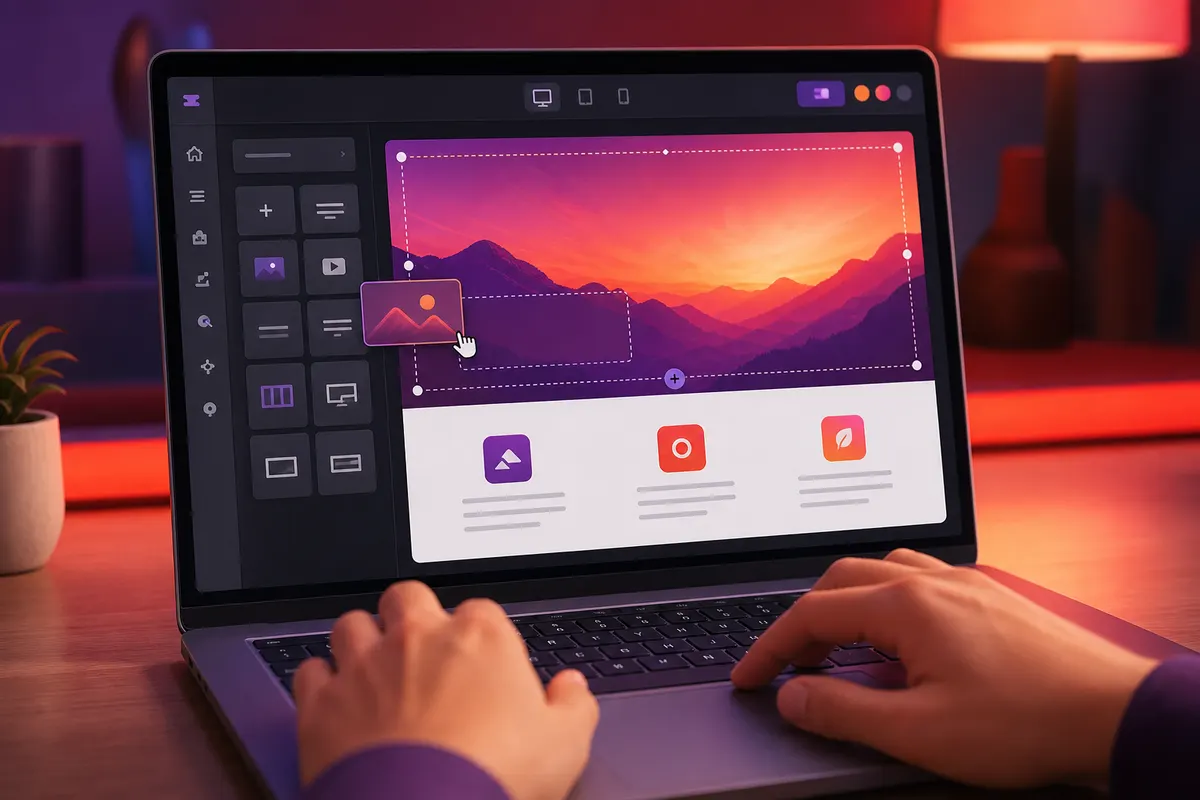
A website builder combines visual templates, hosting, and editing tools in a ready-made environment. You choose a structure, customize texts and images, set up contacts, and publish without needing to code each element from scratch.
The process starts with choosing a visual base. Instead of opening a blank screen, the entrepreneur begins with a template that already contains headers, menus, content blocks, and areas for images. This base should be adapted to the company's identity, not used as a closed decoration. Change colors, texts, and photos so that visitors recognize the business in just a few moments.
Next comes the assembly of the pages. The editor usually allows adding sections, reorganizing blocks, and changing titles directly on the screen. For those creating a professional website without spending much, this autonomy is valuable because it reduces the need to hire development for each adjustment. It also makes it easier to update operating hours, service prices, address, menu, and seasonal campaigns.
The platform typically connects the content to hosting. Hosting is the service that keeps the website files available for access. The domain, in turn, is the address that a person types or finds in search results. The provided values indicate that the domain costs around R$40 per year, while hosting can range from R$10 to R$80 per month. Some offers go as low as R$5.99 per month with a four-year contract, including one year of free domain, but the entrepreneur needs to pay attention to the total commitment and renewal conditions.
The process doesn't end when you click publish. First, open the site on a mobile device and check if the text remains legible, if the buttons work, and if the contact leads to the correct channel. Also, search for the company's name and its main activity. Clear titles, specific descriptions, and useful pages help search engines understand the business. To delve deeper into this step, consult the content on best SEO practices to optimize your site.
A builder can also offer forms, social media integration, maps, analytics tools, store features, and support. The key is to differentiate available features from necessary ones. A neighborhood salon may need location, services, and scheduling, while a store might prioritize catalog, payment, and order tracking. Purchasing a plan full of functions before knowing what will be used increases costs without improving the experience.
Maintenance is often the forgotten part. Old photos, broken links, and contradictory information reduce trust even when the layout remains attractive. Take a periodic moment to review the content, test the forms, and confirm that the contacts are still active. If the site collects personal data, present privacy information that complies with the operation and avoid collecting data just for convenience.
To reduce expenses, prepare the materials before starting. Have a short description of the company, a list of key services, address, hours, frequently asked questions, and authorized images. This preparation minimizes rework and helps maintain consistent communication across all pages. Sebrae offers free online courses, consulting, and training for entrepreneurs to develop their business, which can support this planning phase.
The most economical choice is not necessarily the option with the lowest advertised price. It is the one that delivers the necessary set, allows content management, and does not create a dependency that is difficult to sustain. Read the limitations of the free plan, understand how the domain will be used, check if there will be third-party advertising, and find out which features are locked. This way, the budget is analyzed by the total cost and its utility for the business.

How to choose a free website builder
The best free creators are those that allow you to publish a clear presentation, edit independently, and test your online presence before taking on a larger cost. The choice depends on the type of business, the accepted limitations, and the possibility of evolving when the site starts to require more.
Visual editor to start with autonomy
An option with a visual editor works well for those who need to validate an idea, present services, or quickly place a local business on the map. The main benefit is reducing the technical barrier: the entrepreneur works with ready-made blocks, adjusts the content, and publishes without turning each change into a programming project. To achieve a professional result, keep a few colors, use objective titles, and place contact information in an easily findable position.
The caution lies in the limitations of the free plan. The address may be less personalized, certain features may not be available, and storage may restrict images or pages. This does not prevent a smart start, as long as the site has a defined purpose. Use the free version to validate the message, understand the audience's questions, and discover which pages truly generate contact. When there is a concrete need, evaluate the evolution of the plan.
Simple platform for institutional presence
Another alternative is a platform focused on simple institutional pages. It can work for freelancers, small businesses, and companies that need to explain their activity, show location, and receive requests. Simplicity is positive when it avoids confusing menus and allows the owner to update content without relying on third parties.
Before publishing, check how the service handles domain, ads, forms, and content export. The free site needs to remain useful for those arriving via mobile and for those finding the company through local searches. It is also worth evaluating if the platform allows including social media links, maps, photos, and calls for service. These elements help the visitor take action without turning the page into a disorganized catalog.
Template-driven creator
There are creators that speed up the launch with specific templates for different activities. This format is interesting for those with little design experience who prefer to follow a tested structure. The choice of template should start with the visitor's objective. If the priority is to receive quotes, the form and service information need to appear before decorative elements. If the priority is to promote a menu, products or hours should be easy to locate.
Ready-made templates save time but can make websites from different segments look similar. Personalize the opening text, images, the order of sections, and calls to action. Avoid filling the page with generic phrases. State what problem the company solves, in which region it operates, and how the interested party can start a conversation. It is this combination of specificity and ease of use that gives the project a professional appearance.
Initial solution for catalog and sales
For businesses looking to showcase products or receive orders, a solution with a catalog may be more suitable than a purely institutional page. Even in a free alternative, the entrepreneur should check if there are limits on items, payment methods, delivery calculations, notifications, and order management. A showcase without information about availability, deadlines, or service can generate more confusing messages than sales.
Start with the most important items and write descriptions that help in decision-making. Use clear photos, inform variations, and explain how the order will be confirmed. For a restaurant, the organization of the menu, add-ons, and delivery channels need to be coherent. For a store, categories and exchange information can be decisive. If the business still receives most requests via WhatsApp, the site can act as a showcase and direct the customer to a well-prepared conversation.
The growth of digital commerce reinforces the importance of building this foundation carefully. IBGE recorded a 79.2% increase in the number of companies that used online marketing between 2019 and 2022, rising from 1,900 to 3,400 companies. In retail, the share of companies that conducted some form of online marketing increased from 4.7% to 8.0% in the same period. The numbers do not mean that every business needs to start with a complete store, but they show that digital presence has ceased to be a detail for many operations.
In any of these alternatives, compare the ease of editing, the quality of the mobile version, the domain, storage limits, and the ability to connect service channels. Do not choose solely based on the promise of free service. A website can be published at no cost and still require investment in time, photo production, text review, and organization of contacts.
Also consider the exit path. If the company grows, will it be possible to take the domain and content to another structure? Will the pages be able to gain SEO resources? Will there be support for forms, catalogs, or service? An economical decision preserves future options. It does not need to anticipate all investments but should avoid losing the effort made today tomorrow.
Sebrae offers the course How to Create a Website for Your Business, which guides entrepreneurs in building their own site using a free platform and highlights the potential of the internet for business opportunities. The organization also informs that its online consulting can be requested for free upon registration. For eligible technical needs, Sebraetec states that between 60% and 100% of the cost of services can be covered by Sebrae. These possibilities help reduce the entry barrier, but the company should analyze the criteria directly through institutional channels.
The best choice, therefore, is the one that combines control and suitability. For a lean presentation, prefer easy editing and good mobile readability. For a catalog-based operation, examine the management of products and orders. To capture contacts, prioritize forms, clear calls, and integration with service. NaInter.net follows this logic by bringing together a professional website, business information dissemination, email redirector, and AI virtual assistant in a proposal aimed at companies that want to organize their online presence. The right resource is the one that reduces friction for the customer and for those managing the business.
- Present services, location, and contact methods quickly → Start with a lean institutional website, prioritizing easy editing, good mobile readability, and updated information.
- Validate an idea before taking on larger expenses. → Use a free plan to test the messaging, observe visitor questions, and identify the truly necessary pages.
- Display products, menu, or ordering options. → Choose a catalog structure and check limits on items, orders, payments, delivery, and integration with customer service.
- Receive more quote requests. → Highlight services, areas served, frequently asked questions, and a form or direct channel with a clear call to action.
- Add automated customer service to the website. → Consider a solution with a virtual assistant, chat capture, and forwarding to WhatsApp, like the proposal from NaInter.net.
- Entrepreneur who only needs to establish an online presence.: Choose a simple institutional structure, with a domain, contact information, location, and objective content.
- Business that is still testing its digital communication.: Start with a free alternative, but check the limitations and maintain the possibility to evolve.
- Company that receives orders or works with a catalog.: Prioritize features for products, orders, customer service, and information updates, rather than visual effects.
- Company that wants to organize customer service and digital presence.: Evaluate a platform that combines website, business information, email redirection, and virtual assistant.
Continue reading

How to prioritize your online presence with an effective website

The importance of having a responsive website to boost your sales.